
Insert a memory card into your Meural
Insert a Micro SD memory card into a Meural Canvas or an SD memory card into a Canvas II.
The Meural Canvas and Meural Canvas II both support storing images and videos on memory cards. The Canvas supports Micro SD memory cards. The Canvas II supports SD memory cards.
For more information about memory card requirements for your Meural, see:
- How do I add images or videos to a memory card for my Meural?
- Can I use a memory card with my Meural?
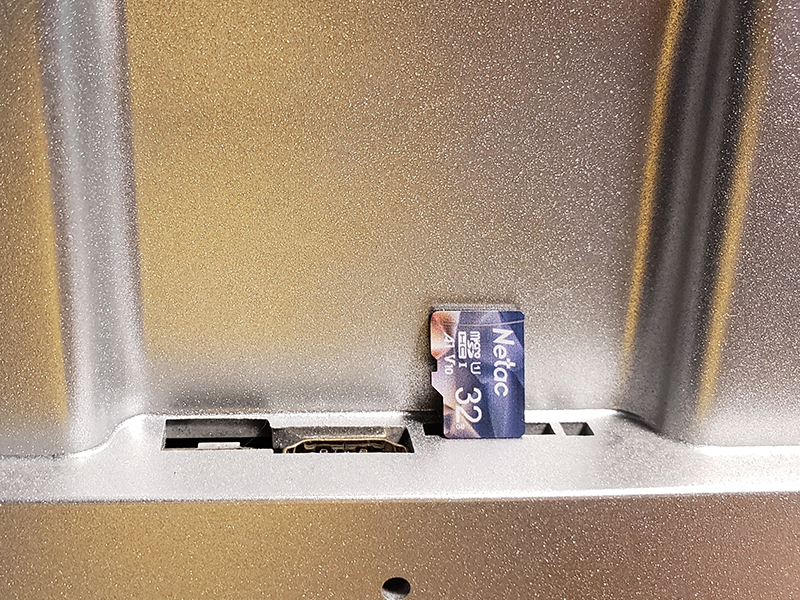
To insert a Micro SD memory card into your Canvas:
- Turn your Canvas around to see the back of your device.
- Locate the Micro SD memory card slot on the back.
- Insert your Micro SD memory card into the slot with its metal contacts facing away from you as shown:
To insert an SD memory card into your Canvas II:
- Locate and open the media access panel on the lower right of the Canvas II when positioned vertically.
- Locate the SD memory card slot.
- Insert your SD memory card with its metal contacts facing you as shown:
